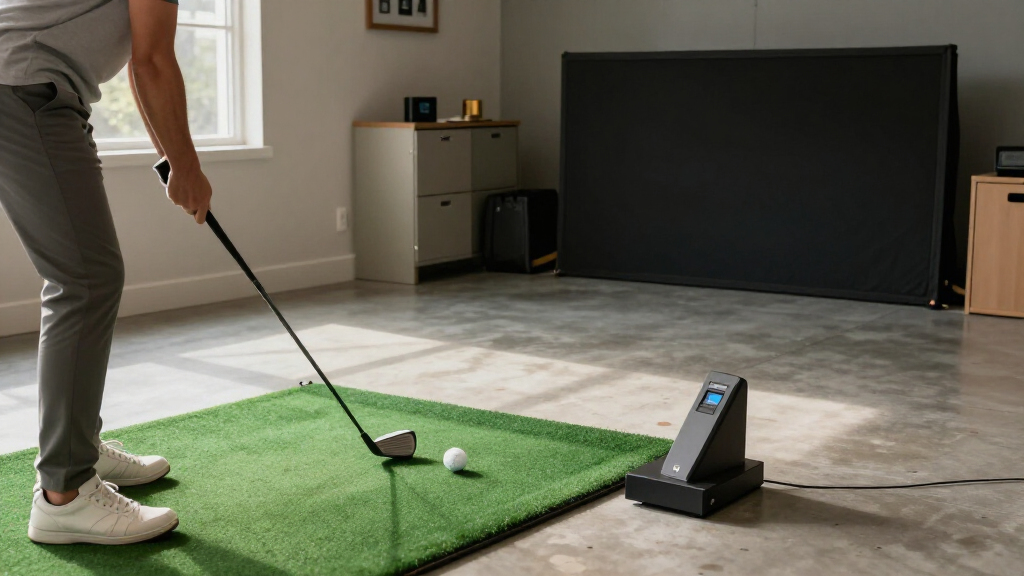
Home golf simulators range from portable launch monitors to complete indoor studio packages, and the best fit depends on your space, practice goals, and setup budget. I’d put the SkyTrak ST MAX Studio Package first for golfers seeking a dedicated home practice bay, while the Garmin Approach R50 stands out for a premium all-in-one experience and the Garmin Approach R10 for portability. The main tradeoffs are full-room immersion versus a smaller, flexible setup, along with the amount of equipment and software configuration each demands. Some picks focus on measured shot data; others make casual play and easy entry the priority. Read on for how the options compare and which one suits your home.
Complete the kit


Key Takeaways
- Complete studio packages lead for dedicated indoor use: The SkyTrak ST MAX bundles with enclosure, screen, mat, and projector reduce the work of matching separate components, but require room for a permanent or semi-permanent bay.
- The Garmin R50 serves a different buyer than the portable R10: The R50 is the premium simulator-focused choice, while the R10 is better suited to golfers who want a compact launch monitor they can move or use outdoors.
- Rapsodo’s two options separate by practice style: The MLM2PRO is a mobile launch-monitor route, while the MLM2XPRO listing calls out putting, making the latter more relevant to buyers who want that part of the simulator experience.
- PHIGOLF prioritizes accessible play over a full hitting bay: Its motion-sensor approach can suit limited space and casual practice, but it is not a direct substitute for a launch monitor and impact-screen setup.
- Repeated SkyTrak listings are not six distinct systems: The roundup includes repeated ST MAX packages and two standard studio package listings, so buyers should compare the included components and software wording rather than assume each listing represents a different simulator.
| SkyTrak ST MAX Golf Simulator Studio Package with 1 Year Software |  | Best Complete Home Studio | Launch monitor: SkyTrak ST MAX | Measurement technology: Dual Doppler radar and photometric cameras | Included components: Hitting mat, enclosure, screen and frame, projector, launch monitor, protective case | VIEW LATEST PRICE | See Our Full Breakdown |
| SkyTrak ST MAX Golf Simulator Studio Package with 1 Year Software | | Best for a Mat-Ready Studio Bundle | Launch monitor: SkyTrak ST MAX | Measurement technology: Dual Doppler radar and photometric cameras | Hitting mat: 5 x 5 ft | VIEW LATEST PRICE | See Our Full Breakdown |
| Rapsodo MLM2PRO Mobile Launch Monitor Golf Simulator with 3 Chrome Tour Balls |  | Best Portable Practice Pick | Device compatibility: iOS and Android smartphones | Measurement features: Doppler radar and dual camera | Metrics: Up to 15 listed; some descriptions specify 13 core metrics | VIEW LATEST PRICE | See Our Full Breakdown |
| Rapsodo MLM2XPRO Mobile Launch Monitor Golf Simulator with Putting |  | Best Mobile Pick for Putting and Course Play | Model number: 00860006310271 | Compatibility: PC, iOS, Android | Measurement features: Dual camera and Doppler radar | VIEW LATEST PRICE | See Our Full Breakdown |
| Garmin Approach R50 Premium Golf Launch Monitor & Simulator |  | Best Premium Standalone Display | Screen size: 10 in | Display resolution: 800 x 1280 | Display type: LCD capacitive touchscreen | VIEW LATEST PRICE | See Our Full Breakdown |
| SkyTrak ST MAX Golf Simulator Studio Package with 1 Year Software | | Best Complete Home Studio | Launch monitor: SkyTrak ST MAX | Measurement technology: Dual Doppler radar and photometric cameras | Included software: 1 year | VIEW LATEST PRICE | See Our Full Breakdown |
| SkyTrak ST MAX Golf Simulator Standard Studio Package – Indoor Home Golf Setup with Launch Monitor, Enclosure, Screen, Hitting Mat, and Projector |  | Best for Choosing a Studio Size | Brand: SkyTrak | Model number: STU-STMAX-STA | Sport: Golf | VIEW LATEST PRICE | See Our Full Breakdown |
| Garmin Approach R10 Portable Golf Launch Monitor |  | Best Portable Practice Monitor | Club-head speed accuracy: ±3 mph | Ball speed accuracy: ±1 mph | Launch angle accuracy: ±1 degree | VIEW LATEST PRICE | See Our Full Breakdown |
| SkyTrak ST MAX Golf Simulator Standard Studio Package – Indoor Home Golf Setup with Launch Monitor, Enclosure, Screen, Hitting Mat, Projector & Software | | Best Standard Studio with Trial Software | Brand: SkyTrak | Model number: STU-STMAX-STA | Sport: Golf | VIEW LATEST PRICE | See Our Full Breakdown |
| PHIGOLF Home Golf Simulator with Motion Sensor & 3D Analysis | 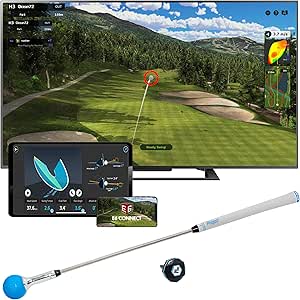 | Best Compact, Screen-Based Option | Model: PG2 Flex | Sensor: 9-axis motion sensor | Compatibility: Android and iOS devices | VIEW LATEST PRICE | See Our Full Breakdown |
| home golf simulator | Minimum ceiling height |
|---|---|
| SkyTrak ST MAX Golf Simulator | 8 ft 6 in for Studio 10 and 12; 10 ft for Studio 13 Deep |
| SkyTrak ST MAX Golf Simulator | 8 ft 6 in for Studio 10 and 12; 10 ft for Studio 13 Deep |
| Rapsodo MLM2PRO Mobile Launch | — |
| Rapsodo MLM2XPRO Mobile Launch | — |
| Garmin Approach R50 Premium Go | — |
| SkyTrak ST MAX Golf Simulator | 8’6" for Studio 10 and Studio 12; 10′ for Studio 13 Deep |
| SkyTrak ST MAX Golf Simulator | 8’6" for Studio 10 and Studio 12; 10′ for Studio 13 Deep |
| Garmin Approach R10 Portable G | — |
| SkyTrak ST MAX Golf Simulator | 8’6" for Studio 10 and Studio 12; 10′ for Studio 13 Deep |
| PHIGOLF Home Golf Simulator wi | — |
More Details on Our Top Picks
SkyTrak ST MAX Golf Simulator Studio Package with 1 Year Software
I’d choose this SkyTrak package when the goal is a dedicated indoor hitting bay, not a portable launch monitor that needs a separate screen and hitting area. The ST MAX combines dual Doppler radar with photometric cameras, while the included enclosure, screen, mat, and 3,500-lumen projector make it a more ready-to-build studio than the Rapsodo MLM2PRO. Room options from 10 to 13 feet wide offer some flexibility, but the ceiling requirements matter: the 13-foot-deep configuration calls for a 10-foot ceiling. That footprint and six-month warranty are meaningful compromises, and the available details don’t specify the mat size or software terms beyond one year. I’d rank it above the mobile units for a permanent setup, but not for golfers who need something they can pack away.
Pros:- Includes the launch monitor, hitting mat, enclosure, screen and frame, projector, and protective case.
- Dual Doppler radar and photometric cameras provide two measurement approaches for shot tracking.
- Studio configurations are available in 10-, 12-, and 13-foot widths.
- The 3,500-lumen projector is included for projecting simulator visuals onto the screen.
Cons:- Requires a dedicated footprint and at least 8 feet 6 inches of ceiling height for Studio 10 and 12.
- The Studio 13 Deep option requires a 10-foot ceiling.
- The listed warranty is six months.
Best for: Golfers with a dedicated garage or spare room who want the launch monitor, hitting area, enclosure, and projector bundled together.
Not ideal for: Renters or golfers sharing a small room who need a portable setup, or anyone whose ceiling is below the listed minimum for the chosen studio size.
- Launch monitor:SkyTrak ST MAX
- Measurement technology:Dual Doppler radar and photometric cameras
- Included components:Hitting mat, enclosure, screen and frame, projector, launch monitor, protective case
- Room size compatibility:Studio 10 (10 ft wide), Studio 12 (12 ft wide), Studio 13 Deep (13 ft wide)
- Minimum ceiling height:8 ft 6 in for Studio 10 and 12; 10 ft for Studio 13 Deep
- Projector brightness:3,500 lumens
- Warranty:6 months
Our verdict“Choose this package for a permanent, bundled home simulator bay if your room meets the width and ceiling requirements.”
SkyTrak ST MAX Golf Simulator Studio Package with 1 Year Software
This version has the same ST MAX launch monitor and studio choices as the other SkyTrak package, but its listed 5-by-5-foot hitting mat and ball tray make the hitting area more clearly defined. That detail helps buyers plan the floor layout before committing to a simulator room. Like the B0FY3SH7TL package, it includes an enclosure, screen and frame, and 3,500-lumen projector; unlike the portable Rapsodo MLM2PRO, it is intended to stay set up as a home bay. I’d favor this listing when the specified mat dimensions and tray match your needs, rather than treating it as a different performance tier. It still demands substantial space and a suitable ceiling, and the six-month warranty is short for a permanent installation.
Pros:- Specifies a 5-by-5-foot hitting mat and includes a ball tray.
- Bundles the ST MAX monitor with an enclosure, screen and frame, and projector.
- Uses dual Doppler radar and photometric cameras for shot measurement.
- Offers studio configurations with different width and ceiling requirements.
Cons:- Needs a dedicated indoor area rather than a small space that must be cleared after each session.
- Requires ceilings of 8 feet 6 inches or 10 feet, depending on studio configuration.
- The listed warranty is six months.
Best for: Home golfers planning a fixed hitting bay who want a stated 5-by-5-foot mat size and an included ball tray for layout planning.
Not ideal for: Players who need a compact, portable simulator or who cannot meet the room and ceiling requirements for the selected studio configuration.
- Launch monitor:SkyTrak ST MAX
- Measurement technology:Dual Doppler radar and photometric cameras
- Hitting mat:5 x 5 ft
- Included components:Hitting mat, ball tray, enclosure, screen and frame, projector, launch monitor, protective case
- Projector brightness:3,500 lumens
- Minimum ceiling height:8 ft 6 in for Studio 10 and 12; 10 ft for Studio 13 Deep
- Dimensions:49 x 11 x 8 in
- Warranty:6 months
Our verdict“Pick this SkyTrak listing over the other studio bundle when its specified 5-by-5-foot mat and ball tray suit your room plan.”
Rapsodo MLM2PRO Mobile Launch Monitor Golf Simulator with 3 Chrome Tour Balls
The MLM2PRO is the most mobile choice here: it weighs 16 ounces, connects to iOS and Android devices, and is designed for indoor or outdoor practice. That makes it a different kind of home golf simulator from either SkyTrak studio package, which supplies the enclosure, mat, and projector but needs a dedicated room. Rapsodo pairs Doppler radar with dual cameras and tracks a broad set of shot and swing information, with virtual courses and swing analysis listed among its features. In a home setup, the tradeoff is that your phone and app become part of the experience, and you must provide the hitting area and display rather than receiving a complete bay. I’d pick it for flexibility, not for the most turnkey or room-filling simulator experience.
Pros:- Portable 16-ounce design supports practice indoors and outdoors.
- Dual-camera and Doppler radar system tracks golf metrics and supports swing analysis.
- Compatible with iOS and Android smartphones.
- Virtual courses are listed among its simulator features.
Cons:- Does not include the enclosure, hitting mat, or projector supplied with the SkyTrak studio packages.
- Requires a compatible smartphone and app setup for feedback.
- The supplied product data lists 15 metrics in one place but notes that some descriptions identify 13 core metrics.
Best for: Golfers who want one launch monitor for occasional home practice and outdoor sessions, and are comfortable using a compatible phone and app.
Not ideal for: Buyers seeking a complete simulator bay with its own enclosure, hitting mat, and projector, or golfers who don’t want app-based setup.
- Device compatibility:iOS and Android smartphones
- Measurement features:Doppler radar and dual camera
- Metrics:Up to 15 listed; some descriptions specify 13 core metrics
- Connectivity:Bluetooth
- Weight:16 oz
- Display resolution:1280 x 800
- Additional features:Virtual courses and swing analysis
Our verdict“Choose the MLM2PRO if portability and phone-based feedback matter more than receiving a complete home simulator enclosure.”
Rapsodo MLM2XPRO Mobile Launch Monitor Golf Simulator with Putting
Compared with the MLM2PRO, this Rapsodo model is the more course-focused mobile option: its listed package adds 4K simulator play with putting, along with indoor and outdoor use. That can make practice feel less limited to full swings, while the dual-camera and Doppler setup tracks 15 metrics and provides quick feedback. A tripod and LED alignment features are listed for setup, and compatibility spans PC, iOS, and Android—broader than the phone-only compatibility stated for the MLM2PRO. This is still a launch monitor kit, not a self-contained studio like the SkyTrak ST MAX packages: buyers need to arrange their own hitting area and device display. The app and membership learning curve may also be more involved for casual players, so I’d choose it for flexible course and putting practice rather than minimum setup effort.
Pros:- Lists 4K simulator play with putting and course play.
- Tracks 15 metrics using dual cameras and Doppler radar.
- Supports PC, iOS, and Android compatibility.
- Includes a one-year warranty and lists tripod and alignment features.
Cons:- Requires space for setup and a separate hitting area.
- Does not supply the complete studio enclosure and projector package found in the SkyTrak ST MAX bundles.
- App features and membership access may take more setup than a straightforward practice session.
Best for: Mobile golfers who want putting and course-play features across PC or mobile devices, and are willing to configure an app-based simulator.
Not ideal for: Buyers who want an all-in-one physical bay with an included enclosure, screen, hitting mat, and projector.
- Model number:00860006310271
- Compatibility:PC, iOS, Android
- Measurement features:Dual camera and Doppler radar
- Metrics:15 swing metrics
- Simulator features:4K simulator, putting, and course play
- Weight:16 oz
- Warranty:1 year
Our verdict“Choose the MLM2XPRO for portable simulator sessions that include putting, but choose a SkyTrak studio bundle for a ready-built home bay.”
Garmin Approach R50 Premium Golf Launch Monitor & Simulator
The Garmin Approach R50 stands apart from the two Rapsodo units by putting a 10-inch touchscreen directly on the launch monitor, so a compatible phone or computer is not the only listed interface. Bluetooth and Wi-Fi support connectivity, while shot metrics, impact videos, and virtual course play give it a broader simulator role than a basic practice tracker. Against the SkyTrak ST MAX studio packages, though, the R50 is a monitor-led system rather than a bundled hitting bay: the supplied details don’t list an enclosure, screen, mat, or projector. Its four-hour battery supports sessions away from a fixed setup, but full course access and some features require a Garmin Golf membership, and club and ball metrics require a tracking sticker. I’d place it above mobile kits for its integrated screen, not as the best turnkey room build.
Pros:- Built-in 10-inch touchscreen provides an on-device interface.
- Lists detailed shot metrics and high-speed impact videos.
- Bluetooth and Wi-Fi connectivity support simulator use.
- Four-hour battery life supports sessions away from a fixed installation.
Cons:- Full course access and some features require a Garmin Golf membership.
- Tracking stickers are required for club and ball metrics.
- Does not list the enclosure, screen, hitting mat, and projector included with the SkyTrak studio bundles.
Best for: Golfers who want a premium launch monitor with its own touchscreen, video feedback, and virtual-course options for indoor and outdoor use.
Not ideal for: Buyers looking for a complete projector-and-enclosure studio package, or those who want full course access without a membership.
- Screen size:10 in
- Display resolution:800 x 1280
- Display type:LCD capacitive touchscreen
- Connectivity:Bluetooth and Wi-Fi
- Battery life:Up to 4 hours
- Simulator features:Virtual course play and multiplayer play with Garmin Golf membership
- Operating system:Windows
Our verdict“Choose the Approach R50 for an integrated-screen monitor with video and course features, but not if you need a complete home hitting bay in the box.”
SkyTrak ST MAX Golf Simulator Studio Package with 1 Year Software
This package makes the most sense for golfers who want a dedicated, ready-to-build indoor bay rather than a portable monitor they must pair with separate gear. It combines the ST MAX launch monitor, high-impact enclosure, 5-by-5-foot true-turf mat, embedded putting turf, and a Full HD projector, so practice and simulated play share one setup. Compared with the Garmin Approach R10, this is a far more room-dependent choice, but it provides the screen, hitting surface, and projection system for a fuller home-simulator experience. The 10-, 12-, and 13-foot-deep studio options give some flexibility, though the 13-foot-deep configuration calls for a 10-foot ceiling. I’d favor it when space is available; golfers with low ceilings or a need to move their equipment should skip this fixed-installation approach.
Pros:- Bundles the launch monitor, enclosure, hitting mat, putting turf, projector, and one year of software.
- Three studio configurations offer different width and depth choices.
- Full HD projector rated at 3,500 lumens supports a more immersive indoor setup.
- Ball tray holds up to 100 balls, reducing interruptions during practice.
Cons:- Needs a dedicated footprint and enough ceiling height for a full swing.
- The 13-foot-deep studio requires a 10-foot ceiling.
- A complete studio package is less portable and more involved to install than the Garmin Approach R10.
Best for: Golfers with a dedicated indoor room or garage bay who want the enclosure, hitting surface, projector, and a year of software in one package.
Not ideal for: Renters, golfers with low ceilings, or anyone who needs a portable setup; the studio requires substantial room and the largest configuration needs a 10-foot ceiling.
- Launch monitor:SkyTrak ST MAX
- Measurement technology:Dual Doppler radar and photometric cameras
- Included software:1 year
- Studio sizes:Studio 10 (10′ wide), Studio 12 (12′ wide), Studio 13 Deep
- Minimum ceiling height:8’6″ for Studio 10 and Studio 12; 10′ for Studio 13 Deep
- Hitting and putting surfaces:5-by-5-foot true-turf mat with embedded putting turf
- Projector:GT2300HDR Full HD, 3,500 lumens
- Ball tray capacity:Up to 100 balls
Our verdict“Choose this package if you have room for a permanent-feeling bay and want the core simulator hardware bundled together.”
SkyTrak ST MAX Golf Simulator Standard Studio Package – Indoor Home Golf Setup with Launch Monitor, Enclosure, Screen, Hitting Mat, and Projector
This Standard Studio package is a strong fit for golfers who want the main pieces of a home simulator—launch monitor, enclosure, screen, hitting mat, and projector—without the listed one-year software inclusion of the other SkyTrak studio package. Its 10-foot, 12-foot, and 13-foot-deep options help buyers match the bay to their room, although sizing flexibility does not remove the need to check ceiling clearance: the first two need at least 8 feet 6 inches, while the deeper option calls for 10 feet. Compared with the Garmin Approach R10, this is a substantially more complete but far less portable installation. The product details describe optional trial software rather than a year-long software term, so I’d verify what play and analysis access comes with the specific configuration. Setup and room planning are real costs in effort, even before the first shot.
Pros:- Includes a launch monitor, enclosure, impact screen, hitting mat, and projector.
- Offers 10-foot, 12-foot, and 13-foot-deep studio configurations.
- Creates a more immersive hitting-and-screen setup than the portable Garmin Approach R10.
- Can support swing analysis and simulated practice at home.
Cons:- Requires enough room for both the bay footprint and a full golf swing.
- Setup may be challenging for buyers without installation experience.
- The product details do not specify a year of software, unlike the other SkyTrak studio package in this batch.
Best for: Home golfers who have measured a suitable garage or spare room and want to select among several studio footprints.
Not ideal for: Players who want included long-term software access, a quick portable practice device, or a simulator that fits beneath a low ceiling.
- Brand:SkyTrak
- Model number:STU-STMAX-STA
- Sport:Golf
- Package item count:6
- Materials:Alloy steel, nylon, and plastic
- Size options:10-foot, 12-foot, and 13-foot-deep studio configurations
- Minimum ceiling height:8’6″ for Studio 10 and Studio 12; 10′ for Studio 13 Deep
Our verdict“Pick this Standard Studio if footprint choice matters most and you are prepared to confirm the software access included with your configuration.”
Garmin Approach R10 Portable Golf Launch Monitor
The Garmin Approach R10 is the clearest choice here for golfers who need practice data without installing a full simulator bay. It tracks club and ball metrics, connects to the Garmin Golf app, and can move between home, indoor practice, and the driving range. Its stated battery life of up to 10 hours makes longer sessions practical, while the SkyTrak ST MAX Studio packages add the enclosure, hitting surface, and projector that the R10 does not supply. That difference is the central tradeoff: the R10 offers flexibility and a smaller equipment commitment, but the buyer must provide a compatible smartphone and arrange the display and hitting area. Virtual-course and advanced features may also require a subscription. I’d choose it for data-led practice across locations, not for someone seeking a complete, projected room-scale simulator.
Pros:- Portable design suits use at home, indoors, or at the driving range.
- Tracks more than a dozen metrics, including club-head speed, ball speed, and spin.
- Up to 10 hours of battery life supports extended practice sessions.
- Pairs with the Garmin Golf app for analysis, video recording, and virtual-course features.
Cons:- A compatible smartphone and app are needed for full functionality.
- Virtual courses and some advanced features require a subscription.
- Unlike the SkyTrak ST MAX studio packages, it does not include an enclosure, impact screen, hitting mat, or projector.
Best for: Golfers who practice at home and on the range and want portable shot data through a smartphone app.
Not ideal for: Buyers seeking a complete home simulator with an impact screen, hitting mat, and projector, or golfers who do not want to rely on a phone or subscription features.
- Club-head speed accuracy:±3 mph
- Ball speed accuracy:±1 mph
- Launch angle accuracy:±1 degree
- Launch direction accuracy:±1 degree
- Battery life:Up to 10 hours
- Compatibility:Smartphone with Garmin Golf app
- Control method:Application and voice
Our verdict“Choose the R10 if portability and app-based practice data matter more than a complete fixed home-simulator setup.”
SkyTrak ST MAX Golf Simulator Standard Studio Package – Indoor Home Golf Setup with Launch Monitor, Enclosure, Screen, Hitting Mat, Projector & Software
This listing suits golfers who want the SkyTrak ST MAX studio format with a trial of simulator features and the ability to choose among three configurations. Its core appeal is the included indoor setup—launch monitor, enclosure, screen, hitting mat, and projector—rather than a standalone device. Compared with the Garmin Approach R10, it is built around hitting into a screen at home, but that immersion comes with fixed-space and installation demands. The listed 14-day trial gives buyers a way to explore simulator features, though it is not the same as the one-year software inclusion specified for the other SkyTrak studio package in this group. I’d compare the exact package contents and software terms before choosing between the two SkyTrak listings. Room dimensions matter just as much: the deepest configuration requires a 10-foot ceiling.
Pros:- Combines the launch monitor, enclosure, impact screen, mat, and projector for an indoor setup.
- Offers Studio 10, Studio 12, and Studio 13 Deep configurations.
- Includes a 14-day trial of simulator features, according to the product description.
- Provides a screen-based home practice format that the Garmin Approach R10 does not include.
Cons:- Requires substantial floor space and full-swing ceiling clearance.
- The 13-foot-deep configuration requires a 10-foot ceiling.
- A 14-day trial is more limited than the year of software listed with the other SkyTrak studio package.
Best for: Golfers building a permanent home bay who want a Standard Studio configuration and a trial period for simulator features.
Not ideal for: Buyers who need a portable monitor, cannot provide adequate swing clearance, or want a clearly specified year of included software.
- Brand:SkyTrak
- Model number:STU-STMAX-STA
- Sport:Golf
- Package item count:6
- Materials:Alloy steel, nylon, and plastic
- Size options:Studio 10, Studio 12, and Studio 13 Deep
- Minimum ceiling height:8’6″ for Studio 10 and Studio 12; 10′ for Studio 13 Deep
- Software access:14-day trial of simulator features
Our verdict“Choose this version if its studio configuration fits your room and a short software trial is enough to get started.”
PHIGOLF Home Golf Simulator with Motion Sensor & 3D Analysis
PHIGOLF is the most space-conscious way in this group to make golf practice interactive: a motion sensor and swing stick let buyers play through a phone or tablet without building the projector-and-enclosure bay supplied by the SkyTrak ST MAX packages. It also supports use with a real club outdoors, giving it a different role from the Garmin Approach R10, which is designed to measure shot data. PHIGOLF’s appeal is course play and swing feedback in a compact package, not a documented full-flight launch-monitor setup. The product description lists access to more than 38,000 courses and several game modes, but it does not clarify subscription terms or how software updates work. A compatible Android or iOS device is needed, and buyers should be comfortable setting up the sensor and app before choosing it.
Pros:- Compact sensor and swing-stick format avoids the large footprint of a SkyTrak studio.
- Works with Android and iOS devices.
- Offers multiple game modes and access to more than 38,000 courses, according to the product description.
- Can be used indoors with the swing stick or outdoors with a real golf club.
Cons:- Requires a compatible mobile device and app setup.
- Subscription terms and software update details are not specified in the product data.
- Its motion-sensor approach is not presented as a replacement for the measured shot metrics of the Garmin Approach R10.
Best for: Apartment dwellers, casual golfers, and families who want compact virtual-course play and swing feedback without a permanent simulator bay.
Not ideal for: Golfers seeking a full enclosure-and-projector setup or detailed, explicitly listed ball-flight measurements comparable to a launch monitor.
- Model:PG2 Flex
- Sensor:9-axis motion sensor
- Compatibility:Android and iOS devices
- Course access:More than 38,000 courses, according to the product description
- Item dimensions:3 x 5 x 25 inches
- Item weight:0.59 kg
- Material:Aluminum
- Warranty:1 year
Our verdict“Pick PHIGOLF for compact, app-based golf games and swing feedback, not for a full projected simulator or detailed launch-monitor data.”

How We Picked
I ranked these home golf simulators by how well their designs match common home-use needs: reliable practice, understandable setup, space demands, portability, and the completeness of the included equipment. I gave more weight to packages that make a dedicated indoor bay easier to assemble, while also recognizing that a portable monitor can be a better fit when a full enclosure and projector would take over the room. The list spans measured launch-monitor systems and motion-sensor play, so I judged each against the job it is meant to do rather than treating them as interchangeable.
The order reflects usefulness for a typical home golfer, not a claim that one system suits every player. The ST MAX studio package ranks highest for buyers ready to dedicate space to practice; the Garmin R50 and portable options earn their places for different priorities. Repeated SkyTrak entries are treated as package listings, not separate innovations, and their position depends on the stated bundle contents. Because the listings do not provide comparable performance measurements or room dimensions, I avoid claiming that one has superior accuracy or fits every home.
Factors to Consider When Choosing Home Golf Simulators
Before choosing a system, decide what “simulator” means for your household: a full indoor hitting bay, a launch monitor for range-style practice, or a compact way to play virtual golf. That choice affects room planning, equipment costs, setup time, and who will actually use it.
Match the Simulator to the Space You Can Reserve
Measure the whole swing area, not just the spot where the monitor will sit. Account for club length, a comfortable backswing, ball flight or net distance, and the room needed for safe movement. A screen-and-projector package can make a convincing practice bay, but it is less flexible if the room needs to serve another purpose every day. Portable monitors and motion-sensor systems can work better when equipment must be packed away, though they offer a different kind of experience. A common mistake is buying the hitting mat first and discovering there is no safe space for a full swing. If you cannot leave a bay set up, prioritize quick setup and storage over a larger bundle.
Separate Practice Data from Simulator Play
Some buyers primarily want shot feedback; others want virtual courses and a screen-based round. Those goals overlap, but they are not the same purchase requirement. Before choosing, identify which measurements you care about, such as carry distance, launch, or shot direction, and check that the system and its software provide the data you expect. Then review what simulator play requires, including compatible devices, subscriptions, and any extra components. Do not infer that a product described as a golf simulator includes every course, display, or software feature at no ongoing cost. If you mainly want to improve contact and distances, prioritize useful practice feedback over a cinematic setup. If you mostly want to play with friends, usability and display arrangements may matter more than a long list of metrics.
Check the Full Setup, Not Just the Launch Monitor
A launch monitor is only one part of a home bay. You may also need a hitting mat, net or impact screen, projector, computer or mobile device, and suitable software. Bundled studio packages can reduce compatibility guesswork, but confirm the exact contents because similarly named listings may differ. A projector also needs a mounting position and a clear image path; it is not automatically useful in every room. Buyers often compare the monitor specifications and overlook the cost and effort of making the rest of the setup safe and functional. Make a checklist of included and missing parts before deciding. That simple step can reveal whether a bundle is genuinely convenient or merely shifts the shopping work elsewhere.
Plan for Software, Devices, and Ongoing Use
Simulator features can depend on software plans, mobile or computer compatibility, and account requirements. Check those details before purchase, especially if you expect to use a particular device or play specific courses. A package that includes a stated software period may still require a later renewal for continued access to some features. App setup and network reliability also affect whether a system feels ready for a quick practice session or becomes a project to configure. Buyers who share equipment should check how easy it is for multiple people to take turns and maintain separate settings. Treat software access as part of the system, not a small afterthought. It can shape both the initial setup and the long-term routine.
Choose Portability Only If You Will Use It
Portable monitors can serve a home practice area and travel to a range, but portability is valuable only when the device’s placement and setup fit both locations. Check the space and alignment requirements for each intended use rather than assuming a compact unit works anywhere. A dedicated studio package trades that flexibility for a more complete indoor environment. Motion-sensor systems take a different path, often emphasizing convenience and play without the same physical hitting-bay requirements. Think about how often you will move the equipment, who will set it up, and whether practice outdoors is part of the plan. If the system will stay in one room, portability may be less useful than a stable, ready-to-play arrangement.
Spend More on the Limitation You Need to Remove
Higher-end equipment makes sense when it solves a recurring problem, such as building a more complete simulator space or reducing the friction of setup. It is less persuasive when its added features do not match how you practice. Start by naming your biggest constraint: room, setup time, access to detailed feedback, or the desire for immersive play. Then compare bundles and portable options against that constraint, including components you would need to buy separately. Beginners may benefit more from a simple system they will use regularly than from a complex bay that takes over the room. Experienced golfers may value richer practice functions, but should still verify software and hardware requirements. The best fit is the system whose tradeoffs you are willing to live with after the novelty wears off.
Frequently Asked Questions
Do I need a full studio package to practice golf at home?
No. A full studio package is most useful when you have a room or area that can support an enclosure, screen, mat, and projector. A portable launch monitor can suit a smaller or shared space if you have another way to hit safely, such as a suitable net or access to a range. Motion-sensor options take a more casual route and may work when a conventional hitting setup is impractical. Decide whether your priority is impact-based practice, virtual play, or simply making golf accessible at home. The answer determines whether a complete bay is useful or more equipment than you need.
Can I use a home golf simulator in a room with a low ceiling?
Possibly, but ceiling height and the golfer’s swing are personal fit questions rather than details to guess from a product listing. Measure the room and test a full swing with the longest club you plan to use before installing a hitting area. Include space for a mat, the golfer’s stance, and any overhead fixtures or fans. A low ceiling may rule out some swings or make a permanent bay uncomfortable, even if the launch monitor itself fits. If you cannot safely swing indoors, a portable monitor used elsewhere or a motion-sensor system may be a better match.
Will a simulator package include everything I need to start playing?
Not always. The studio listings name items such as a launch monitor, enclosure, screen, mat, and projector, but buyers should confirm the exact contents of the particular package. Software access, a compatible computer or mobile device, projector mounting, cables, and ongoing subscriptions may be separate requirements. Check whether the bundle includes the software period or features you expect and what happens when that period ends. Also verify that the room can accommodate the equipment safely. A contents checklist is more dependable than assuming “package” means ready to play out of the box.
Should I choose the Garmin R10 or a SkyTrak studio package?
Choose based on whether you need mobility or a dedicated indoor bay. The Garmin Approach R10 is the more fitting direction if you want a portable monitor that can move between locations. A SkyTrak studio package makes more sense when you can reserve space for a screen, enclosure, mat, and projector and want those elements grouped together. The R10 does not replace the full-bay equipment listed with the SkyTrak packages, while the studio bundle is not the convenient choice for frequent relocation. Compare the total setup you will actually use, including any separate net, screen, or software needs. Your room and routine should decide between them.
Is a motion-sensor golf simulator a good choice for a beginner?
It can be a sensible entry point when convenience, limited space, and casual play matter more than building a traditional hitting bay. A motion-sensor system can reduce the equipment burden, but it serves a different purpose from a launch monitor paired with a mat and impact screen. Beginners who want feedback from physically struck shots should check what data and practice functions the system provides before choosing it. Those who mainly want an accessible way to play may value ease of setup more. Consider who will use it and whether the experience you want involves swinging a club at a real ball indoors. That distinction can prevent buying a simple play system when you wanted a practice studio.
Conclusion
For a dedicated indoor bay, I’d choose the SkyTrak ST MAX Studio Package as the best overall fit in this lineup, with the standard studio package listings worth checking closely for their exact included components. The Garmin Approach R10 is my pick for best value when portability matters more than a complete screen-and-projector setup; the Garmin Approach R50 is the best premium direction for buyers seeking a more simulator-focused launch-monitor experience. Beginners with very limited space may prefer PHIGOLF for accessible motion-sensor play, while golfers who want a mobile monitor with a different practice emphasis can compare the Rapsodo MLM2PRO and MLM2XPRO, particularly the latter’s stated putting feature. The repeated SkyTrak listings are not separate choices in capability, so make the final decision by checking bundle contents, room fit, and software needs. Choose the system that fits the way you can practice at home—not simply the one with the largest bundle.