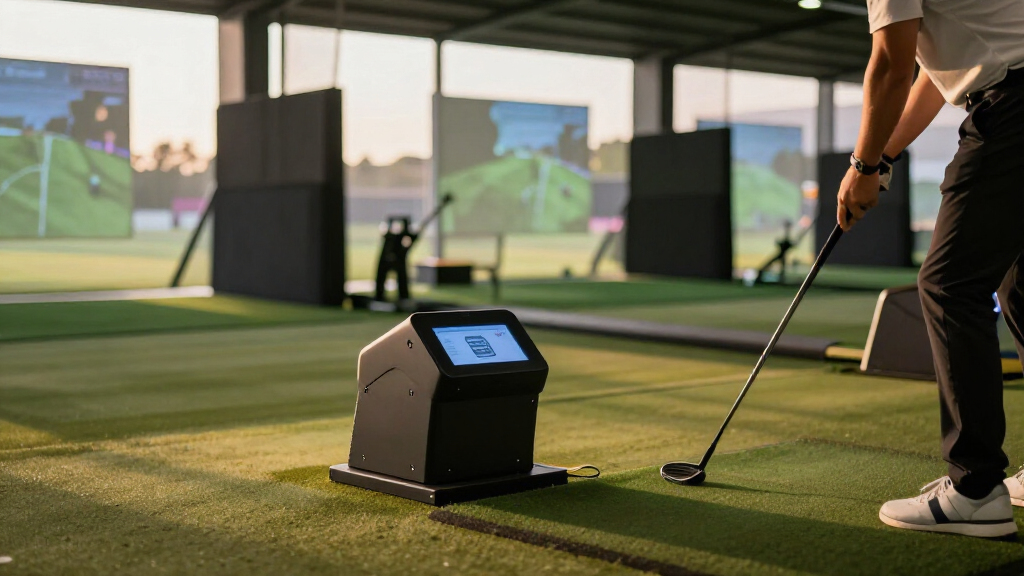
The best golf launch monitor for most golfers is the Garmin Approach R50, which pairs a dedicated display with launch data and simulator features in a more self-contained setup. For a portable option with broad practice and simulation appeal, the Garmin Approach R10 stands out; golfers who want a simpler, lower-friction swing check can look to the PRGR HS-130A. The main tradeoffs are data depth, indoor space and setup requirements, portability, and how much software or screen support you want. A compact monitor can be easier to bring to the range, while a more capable simulator setup may call for a suitable hitting area and a phone, tablet, or dedicated display. Read on for the full breakdown of all 15 golf launch monitors and how to match one to your practice routine.

Get sports gear delivered free with Prime
- Fast, free delivery on millions of items
- Prime Video, Amazon Music and more included
- Member-only deals all year
Complete the kit



Key Takeaways
- The lineup splits between quick feedback and full simulation. The PRGR HS-130A and Shot Scope LM1 focus on portable practice, while the Garmin R50, SkyTrak ST MAX, and Bushnell Launch Pro Circle B Edition are aimed at golfers seeking a more involved indoor setup.
- Portability alone does not determine convenience. The Garmin R10, Voice Caddie SC4 Pro, and Blue Tees Rainmaker are portable choices, but buyers should also account for the phone or screen, setup space, and app workflow each routine may require.
- Several entries are package variants, not wholly different monitor choices. The two Garmin R10 listings and three Rapsodo MLM2PRO listings call for checking included balls, software, and bundle contents rather than assuming the monitor itself changes.
- Camera-based practice options place more weight on the surrounding setup. Rapsodo models and the iPhone-and-iPad Mobile Launch Monitor can suit golfers who already use a compatible device, but device compatibility, placement, lighting, and space should shape the decision.
- Higher-end data only helps when it fits the practice goal. A golfer refining basic carry and swing feedback may prefer a simpler unit; a player building a home simulator may gain more from the SkyTrak ST MAX, Launch Pro, GC2, or Garmin R50, subject to software and setup needs.
| PRGR HS-130A Portable Golf Launch Monitor |  | Best for Simple Speed Training | Brand and model: PRGR HS-130A | Measurements: Club speed, ball speed, smash factor, carry distance, and total distance | Measuring range: 135–270 yards | VIEW LATEST PRICE | See Our Full Breakdown |
| SkyTrak ST MAX Golf Launch Monitor with 1-Year Software |  | Best for Detailed Practice Analysis | Model: SkyTrak ST MAX | Included software: One year of Core Foresight | Shot metrics: Carry and total distance, ball speed, spin, launch angle, club head speed, smash factor, club path, face angle, and face-to-path | VIEW LATEST PRICE | See Our Full Breakdown |
| Voice Caddie SC4 Pro Golf Launch Monitor and 3D Driving Range Simulator |  | Best for Screen-Based, App-Optional Practice | Brand and model: Voice Caddie SC4 Pro | Supported use: Indoor and outdoor | Dimensions: 1.92 × 7.59 × 1.14 in | VIEW LATEST PRICE | See Our Full Breakdown |
| Garmin Approach R10 Portable Golf Launch Monitor Bundle |  | Best for Video-Enabled Simulator Practice | Tracked metrics: More than a dozen, including club head speed, ball speed, spin, launch angle, and smash factor | Battery life: Up to 10 hours | Weight: 220.8 g | VIEW LATEST PRICE | See Our Full Breakdown |
| Blue Tees Golf Rainmaker Portable Golf Launch Monitor |  | Best for On-Device Feedback and Simulation Flexibility | Model: Blue Tees Golf LM-RR-N-G | Display: 4.3-inch color display | Metrics: 9 on-device; 21+ in the app | VIEW LATEST PRICE | See Our Full Breakdown |
| Rapsodo MLM2XPRO Golf Launch Monitor and Simulator with Putting |  | Best for Putting-Focused Simulator Practice | Tracking technology: Dual camera and Doppler radar | Swing metrics: 15 | App compatibility: iOS, Android, and PC | VIEW LATEST PRICE | See Our Full Breakdown |
| Rapsodo MLM2PRO Mobile Golf Launch Monitor and Simulator with 3 RPT Balls |  | Best for Video-Based Swing Analysis | Tracking technology: Doppler radar and dual cameras | Metrics captured: 15, including spin rate, carry distance, club speed, club path, and launch angle | Display: 3-inch LCD touchscreen | VIEW LATEST PRICE | See Our Full Breakdown |
| Garmin Approach R10 Portable Golf Launch Monitor |  | Best for Portable, All-Weather Range Practice | Model: 010-02356-00 | Battery life: Up to 10 hours | Water resistance: IPX7 | VIEW LATEST PRICE | See Our Full Breakdown |
| Rapsodo MLM2PRO Mobile Golf Launch Monitor and Simulator with 3 Chrome Tour Balls |  | Best for Indoor-Outdoor Flexibility | Tracking technology: Doppler radar and dual cameras | Metrics captured: 15 stated; source also lists 13 core metrics | Compatibility: iOS and Android | VIEW LATEST PRICE | See Our Full Breakdown |
| Bushnell Golf Launch Pro Circle B Edition Launch Monitor |  | Best for Camera-Based Impact Data | Measurement system: Three-camera infrared imaging | Ball data: Carry distance, launch, and spin | Club data requirement: Active subscription | VIEW LATEST PRICE | See Our Full Breakdown |
| Voice Caddie SC200Plus Portable Golf Launch Monitor and Swing Analyzer |  | Best for Simple, Screen-Free Feedback | Technology: Doppler radar with atmospheric pressure sensors | Display and feedback: LCD with voice output | Training modes: Swing-speed mode and adjustable loft angles | VIEW LATEST PRICE | See Our Full Breakdown |
| Shot Scope LM1 Portable Launch Monitor |  | Best Value for Core Practice Metrics | Metrics: Club speed, ball speed, smash factor, carry distance, and total distance | Training and sessions: Speed-training mode; on-course, practice-range, and speed-training sessions | App: Free golf GPS app with lifetime session history and no subscription fees | VIEW LATEST PRICE | See Our Full Breakdown |
| Foresight Sports GC2 Golf Launch Monitor |  | Best for Camera-Based Ball Data | Measurement system: Two high-speed cameras | Ball metrics: 14, including carry distance, ball speed, launch angle, direction, total spin, spin axis, and peak height | Use: Indoor and outdoor | VIEW LATEST PRICE | See Our Full Breakdown |
| Rapsodo Mobile Launch Monitor for iPhone and iPad |  | Best for Video and Shot Visualization | Model: MLM01 | Tracking system: Radar tracking paired with an iPhone or iPad camera | Measurements: Ball speed, club speed, launch angle, carry distance, and shot shape | VIEW LATEST PRICE | See Our Full Breakdown |
| Garmin Approach R50 Golf Launch Monitor and Simulator |  | Best Premium All-in-One Simulator | Camera system: 3 cameras | Metrics: More than 15 ball and club metrics | Display: 10-inch LCD touchscreen; 800 x 1280 resolution | VIEW LATEST PRICE | See Our Full Breakdown |
| golf launch monitor | Warranty |
|---|---|
| PRGR HS-130A Portable Golf Lau | — |
| SkyTrak ST MAX Golf Launch Mon | — |
| Voice Caddie SC4 Pro Golf Laun | 1 year |
| Garmin Approach R10 Portable G | — |
| Blue Tees Golf Rainmaker Porta | 2 years |
| Rapsodo MLM2XPRO Golf Launch M | 1 year |
| Rapsodo MLM2PRO Mobile Golf La | 1-year manufacturer warranty |
| Garmin Approach R10 Portable G | — |
| Rapsodo MLM2PRO Mobile Golf La | 1 year |
| Bushnell Golf Launch Pro Circl | 1-year limited warranty |
| Voice Caddie SC200Plus Portabl | 1 year from purchase date |
| Shot Scope LM1 Portable Launch | 2 years |
| Foresight Sports GC2 Golf Laun | Listing states both 1 year and 2 years |
| Rapsodo Mobile Launch Monitor | 1-year limited warranty |
| Garmin Approach R50 Golf Launc | — |
More Details on Our Top Picks
PRGR HS-130A Portable Golf Launch Monitor
I’d choose the PRGR HS-130A when swing-speed feedback matters more than simulator features or detailed shot analysis. Its standout advantage is measuring club head speed with or without a ball, which makes it useful for speed sessions at the range, at home, or even for training in other sports. It also reports ball speed, smash factor, and estimated carry and total distance, with room for 500 swings in memory.
Compared with the Garmin Approach R10, the PRGR is simpler and does not depend on a phone or an app, but it lacks the R10’s video features and simulator compatibility. The tradeoff is a focused tool rather than a connected practice system: distance figures are estimates, and power comes from AAA batteries. I’d skip it if you want detailed spin data or virtual-course play.
Pros:- Measures club head speed with or without a ball, supporting dedicated speed-training sessions.
- Tracks ball speed, smash factor, and estimated carry and total distance.
- Stores up to 500 swings without requiring an app or subscription.
- Compact, portable design supports practice across golf and several other sports.
Cons:- Carry and total distance are estimates rather than detailed ball-flight measurements.
- AAA batteries add a recurring power requirement compared with rechargeable options.
- No Wi-Fi, Bluetooth, or app connection for viewing or organizing practice data.
Best for: Golfers building club speed who want quick feedback at the range or during indoor practice, plus athletes who want one device for speed training across several sports.
Not ideal for: Players seeking simulator play, app-based shot tracking, or detailed ball-flight analysis such as spin and launch data.
- Brand and model:PRGR HS-130A
- Measurements:Club speed, ball speed, smash factor, carry distance, and total distance
- Measuring range:135–270 yards
- Swing memory:Up to 500 swings
- Power:AAA batteries
- Connectivity:No Wi-Fi, Bluetooth, or app required
- Dimensions:3.03 × 1.69 × 5.63 in
- Water resistance:IP54
Our verdict“Choose the PRGR HS-130A for straightforward, app-free swing-speed training, but pick the Garmin Approach R10 for connected practice and simulator features.”
SkyTrak ST MAX Golf Launch Monitor with 1-Year Software
The SkyTrak ST MAX is the most data-oriented pick in this group, with measurements spanning ball flight and club delivery: spin, launch angle, club path, face angle, and face-to-path, alongside speed and distance. That breadth can help golfers investigate why a shot curves or misses, rather than relying only on a distance estimate. The included one year of Core Foresight software, bag mapping, wedge matrix, and guided speed training give practice a more organized structure.
Compared with the PRGR HS-130A, the ST MAX offers far richer analysis but is less of a grab-and-go speed tool; its feature set suits a dedicated practice setup. Dual USB-C ports support charging and data transfer at once, which is useful during longer sessions. The main tradeoff is reliance on its software and included battery, and speed training is exclusive to this model. I’d choose the Garmin Approach R10 instead if swing video and a portable simulator setup matter more.
Pros:- Tracks a broad set of ball and club metrics, including spin, face angle, and club path.
- Includes one year of Core Foresight software with bag-mapping and wedge-matrix tools.
- Offers guided speed training designed for the ST MAX.
- Dual USB-C ports allow charging and data transfer at the same time.
Cons:- Its extensive software-led feature set is less suited to buyers seeking simple, standalone feedback.
- Speed training is exclusive to the ST MAX rather than a feature shared across the lineup.
- Requires its included lithium polymer battery for operation.
Best for: Committed golfers building an indoor practice station who want club-delivery and ball-flight data, structured drills, and software-supported feedback.
Not ideal for: Casual range users who want a small, app-free speed meter or buyers who do not plan to use connected practice software.
- Model:SkyTrak ST MAX
- Included software:One year of Core Foresight
- Shot metrics:Carry and total distance, ball speed, spin, launch angle, club head speed, smash factor, club path, face angle, and face-to-path
- Connectivity:Dual USB-C ports
- Item weight:5 lb
- Battery:One lithium polymer battery included
- Package dimensions:13.43 × 11.57 × 5.55 in
- Practice tools:Guided speed training, bag mapping, and wedge matrix
Our verdict“Pick the SkyTrak ST MAX for software-supported analysis of both club delivery and ball flight, and choose the PRGR HS-130A for simpler speed sessions.”
Voice Caddie SC4 Pro Golf Launch Monitor and 3D Driving Range Simulator
I’d point golfers toward the Voice Caddie SC4 Pro if they want a portable monitor that can give feedback without making a phone the center of every session. Its built-in screen and voice output make shot information accessible at the device, while simulator, practice, target, and swing-speed modes offer more variety than the focused PRGR HS-130A. It also supports indoor and outdoor use with standard golf balls, so buyers do not have to build practice around a special ball requirement.
The included access to E6 Connect courses and HomeGolf adds a route into simulated play, while the VOICECADDIE S app handles statistics and distance calibration. That division is the key tradeoff: basic feedback is convenient, but deeper analysis still depends on the app and compatible software access. Compared with the Blue Tees Golf Rainmaker, the SC4 Pro emphasizes its own screen and voice guidance, while the Rainmaker lists more metrics available through its app. I’d skip the SC4 Pro if app-free advanced analysis is a priority.
Pros:- Built-in screen and voice output provide feedback without relying solely on a phone display.
- Supports indoor and outdoor practice using standard golf balls.
- Offers simulator, practice, target, and swing-speed training modes.
- Portable design includes a remote and supports access to E6 Connect courses and HomeGolf.
Cons:- Advanced statistics and distance calibration require the VOICECADDIE S app.
- Simulator and training features depend on access to compatible software.
- The supplied product data does not specify a battery-life figure.
Best for: Golfers who practice both indoors and outdoors and want a portable device with its own display, voice feedback, and several practice modes.
Not ideal for: Players who want advanced statistics and distance calibration entirely on the device, without a companion app or compatible simulation software.
- Brand and model:Voice Caddie SC4 Pro
- Supported use:Indoor and outdoor
- Dimensions:1.92 × 7.59 × 1.14 in
- Item weight:590 g
- Practice modes:Simulator, practice, target, and swing-speed training
- App:VOICECADDIE S app for statistics and distance calibration
- Simulation access:E6 Connect courses and HomeGolf
- Warranty:1 year
Our verdict“Choose the SC4 Pro for portable, screen-based practice with multiple modes, but opt for the Rainmaker if app-accessible metric breadth is your main priority.”
Garmin Approach R10 Portable Golf Launch Monitor Bundle
The Garmin Approach R10 earns its place for golfers who want shot metrics connected to video and simulation. It tracks more than a dozen metrics, records swing videos with shot data overlays, and works with Home Tee Hero and several third-party platforms. That combination gives a practice session more context than the PRGR HS-130A, which focuses on speed and estimated distances rather than video or virtual play. The bundle’s tripod, phone mount, alignment stand, and carry case also make it easier to set up a portable practice station.
Its up to 10-hour battery life suits extended sessions away from an outlet, and the monitor itself is compact. The tradeoff is that app viewing requires a compatible smartphone or tablet, so this is not as self-contained as the Voice Caddie SC4 Pro with its built-in screen and voice output. Software update support timing is also unspecified. I’d pick the R10 for connected practice, not for buyers seeking the simplest standalone readout.
Pros:- Tracks more than a dozen golf metrics, including club head speed, ball speed, spin, and launch angle.
- Automatically records swing videos with shot data overlays.
- Works with Home Tee Hero and multiple third-party simulator platforms.
- Includes an alignment stand, tripod, phone mount, carry case, and USB cable.
Cons:- Requires a compatible smartphone or tablet for app viewing.
- Software update support timing is not specified in the supplied product data.
- App-connected practice is less self-contained than the Voice Caddie SC4 Pro’s built-in screen and voice feedback.
Best for: Golfers who want swing video with shot overlays, broad shot tracking, and compatibility with home simulator platforms on a phone or tablet.
Not ideal for: Players who do not want to use a smartphone or tablet for app viewing, or who prefer an on-device screen for direct feedback.
- Tracked metrics:More than a dozen, including club head speed, ball speed, spin, launch angle, and smash factor
- Battery life:Up to 10 hours
- Weight:220.8 g
- Dimensions:2.8 × 1 × 3.5 in
- Connectivity:Bluetooth
- Compatible devices:Smartphones and tablets
- Simulator compatibility:Home Tee Hero, GSPro, E6, Awesome Golf, and other third-party platforms
- Included accessories:Alignment stand, tripod stand, phone mount, carry case, and USB cable
Our verdict“Choose the Garmin Approach R10 bundle if video overlays and simulator compatibility matter more than having a self-contained screen.”
Blue Tees Golf Rainmaker Portable Golf Launch Monitor
The Blue Tees Golf Rainmaker balances a readable standalone display with deeper app-based data. Its 4.3-inch color screen shows nine metrics on the device, while the app provides access to 21 or more. That split gives it a broader practice path than the screen-and-voice-focused Voice Caddie SC4 Pro, particularly for golfers who want to start with direct feedback and later explore more analysis. It also supports indoor and outdoor practice, standalone training modes without a subscription, and simulation with E6 Connect or GSPro.
The USB-C charging and 6+ hours of battery life support portable sessions, while IPX4 water resistance and the included case help with range use. Compared with the Garmin Approach R10, the Rainmaker has a clear on-device display and includes a detachable magnetic remote, while the R10 pairs shot data with swing video. The main compromise is that advanced metrics and analytics remain app-dependent, and the included Premium Launch membership lasts 12 months. I’d skip it if long-term app access is central to your decision.
Pros:- Displays nine metrics on its 4.3-inch color screen and offers 21 or more through the app.
- Supports standalone training modes without a subscription.
- Compatible with E6 Connect and GSPro simulation.
- Includes a protective carrying case, detachable magnetic remote, USB-C charging, and IPX4 water resistance.
Cons:- Advanced metrics and analytics require the companion app.
- The included Premium Launch app membership lasts 12 months.
- Its listed battery life of 6+ hours is shorter than the Garmin Approach R10’s stated maximum of 10 hours.
Best for: Golfers who want a built-in color display for range sessions, with the option to add app metrics and use compatible simulator platforms.
Not ideal for: Buyers who need advanced analytics on-device or do not want their deeper metric access tied to a companion app and a time-limited included membership.
- Model:Blue Tees Golf LM-RR-N-G
- Display:4.3-inch color display
- Metrics:9 on-device; 21+ in the app
- Radar:Doppler radar
- Compatibility:E6 Connect, GSPro, and RCT golf balls
- Water resistance:IPX4
- Battery and charging:6+ hours; USB-C charging
- Warranty:2 years
Our verdict“Choose the Rainmaker for a built-in color display plus simulator flexibility, but favor the Garmin Approach R10 if swing-video overlays and longer stated battery life matter more.”
Rapsodo MLM2XPRO Golf Launch Monitor and Simulator with Putting
The MLM2XPRO with putting makes the most sense for golfers who want more than shot-distance feedback from an indoor setup. Its dual cameras and Doppler radar capture 15 swing metrics, while the app adds putting, scoring, and extended-screen simulator play. That broader practice mix gives it an advantage over the Garmin Approach R10 for buyers focused on putting and simulator sessions, while Garmin offers a longer stated battery life and IPX7 water resistance. This kit also arrives with 12 RPT balls and a balancing tripod, so fewer launch-day accessories are needed. The tradeoff is that indoor simulator and training tools require Rapsodo CORE, and the included trial lasts only 21 days. I’d skip it if ongoing membership access is not part of your plan.
Pros:- Dual-camera and Doppler-radar tracking captures 15 swing metrics, including spin and club path.
- Putting, scoring, and extended-screen simulator features broaden indoor practice.
- Works with iOS, Android, and PC apps.
- Includes 12 RPT balls and a balancing tripod.
Cons:- Indoor simulator and training tools require a Rapsodo CORE membership.
- The included CORE trial lasts just 21 days.
- The listing does not provide a battery-life figure.
Best for: Golfers building an indoor practice routine that includes putting drills, scoring, and simulator play, and who are comfortable using Rapsodo’s app ecosystem.
Not ideal for: Players seeking a membership-free simulator or a rugged, long-battery practice unit for frequent outdoor range sessions.
- Tracking technology:Dual camera and Doppler radar
- Swing metrics:15
- App compatibility:iOS, Android, and PC
- Included balls:12 RPT golf balls
- Included accessory:Balancing tripod
- Membership trial:21-day Rapsodo CORE trial
- Item weight:16 ounces
- Warranty:1 year
Our verdict“Choose this kit if putting and indoor simulator practice matter more than avoiding an ongoing app membership.”
Rapsodo MLM2PRO Mobile Golf Launch Monitor and Simulator with 3 RPT Balls
For golfers who want to connect shot numbers with what their swing looked like, this MLM2PRO package pairs 15 metrics with video analysis. Doppler radar and dual cameras track data such as spin, carry, club speed, and launch angle; swing video and slow-motion impact views add context that a numbers-first unit like the Garmin Approach R10 may not offer in the same package. Its tripod, carrying case, charging cable, and three Pro V1x balls make it a ready-to-carry practice kit. The difference from the MLM2XPRO with putting is mainly the supplied setup and feature emphasis: this listing highlights video analysis, not putting. The main catch is app dependence. Premium simulator and training features are trial-based, and some simulator functions depend on app or third-party integration.
Pros:- Combines Doppler radar and dual cameras to capture 15 shot and club metrics.
- Swing video and slow-motion impact analysis connect data to visible motion.
- Includes a tripod, carrying case, and charging cable.
- Supports indoor and outdoor practice through mobile apps.
Cons:- Premium simulator and training features are offered as a 21-day trial.
- Some simulator features depend on app or third-party app integration.
- The listing does not specify battery life.
Best for: Golfers who want to review swing video alongside launch data and carry a compact practice kit between home, range, and course.
Not ideal for: Players who want a self-contained simulator experience without app integration or who prioritize a putting-focused feature set.
- Tracking technology:Doppler radar and dual cameras
- Metrics captured:15, including spin rate, carry distance, club speed, club path, and launch angle
- Display:3-inch LCD touchscreen
- Connectivity:Bluetooth
- Included balls:3 Titleist Pro V1x golf balls
- Included accessories:Tripod, carrying case, and charging cable
- Item weight:16 ounces
- Warranty:1-year manufacturer warranty
Our verdict“Pick this MLM2PRO package if video feedback is a priority and you are willing to use apps for analysis and simulator features.”
Garmin Approach R10 Portable Golf Launch Monitor
The Garmin Approach R10 is a strong fit for golfers who move between the range and home and want a portable unit with a notably long stated runtime. It tracks club and ball speed, tempo, spin, and launch angle, then pairs with a smartphone for shot dispersion and swing-video review. Up to 10 hours of battery life and IPX7 water resistance make it more practical for extended outdoor sessions than the Rapsodo MLM2PRO packages, whose listings do not state comparable battery or water-resistance figures. Garmin also offers virtual rounds across more than 42,000 courses with an active subscription. The tradeoff is reliance on a compatible smartphone and the Garmin Golf app for app-based analysis; course play also requires a subscription. Golfers seeking the MLM2PRO’s 15-metric camera-and-radar setup may prefer Rapsodo’s stated metric coverage.
Pros:- Tracks club and ball metrics, including speed, tempo, spin, and launch angle.
- Up to 10 hours of battery life supports long practice sessions.
- IPX7 water resistance suits outdoor use in wet conditions.
- Pairs shot dispersion data with automatically recorded swing-video clips.
Cons:- App-based analysis requires a compatible smartphone and Garmin Golf app.
- Virtual rounds across the course library require an active subscription.
- Club head speed accuracy is specified at ±3 mph.
Best for: Range regulars and home-practice golfers who want a portable monitor with long battery life, weather resistance, and smartphone-based shot review.
Not ideal for: Players who want app-independent analysis or virtual course play without an active subscription.
- Model:010-02356-00
- Battery life:Up to 10 hours
- Water resistance:IPX7
- Club head speed accuracy:±3 mph
- Ball speed accuracy:±1 mph
- Launch angle accuracy:±1 degree
- Connectivity:Bluetooth
- Weight:340 g
Our verdict“Choose the R10 for portable range practice and extended battery life, provided smartphone access and a possible course-play subscription fit your routine.”
Rapsodo MLM2PRO Mobile Golf Launch Monitor and Simulator with 3 Chrome Tour Balls
This MLM2PRO package suits golfers who want one camera-and-radar monitor for both indoor and outdoor practice, with swing analysis and slow-motion views of ball and club contact. Its 15 stated metrics cover data such as spin, speed, carry, and launch angle, placing it closer to the video-focused Rapsodo MLM2PRO package with Pro V1x balls than to the simpler app-centered Garmin Approach R10. The supplied three Chrome Tour balls distinguish this bundle, but the core monitor proposition is similar: use a phone app to turn shot tracking into practice feedback. One caveat is that the source description gives conflicting metric counts, listing both 13 core metrics and 15. Premium courses, training tools, and third-party app integration are available through a 21-day trial, so I would not choose it for subscription-free simulator use.
Pros:- Doppler radar and dual cameras support shot tracking and swing analysis.
- Slow-motion ball and club contact views add visual context to shot data.
- Supports both indoor and outdoor practice.
- Includes three Chrome Tour balls and works with iOS and Android.
Cons:- The source description conflicts on whether the monitor provides 13 core metrics or 15.
- Premium course and training features are available through a 21-day trial.
- Third-party app integration is part of the feature setup.
Best for: Golfers who split practice between an indoor hitting area and the range, and want camera-assisted contact views through an iOS or Android device.
Not ideal for: Buyers who need a clearly documented metric count or want premium simulator and course features without trial-to-membership costs.
- Tracking technology:Doppler radar and dual cameras
- Metrics captured:15 stated; source also lists 13 core metrics
- Compatibility:iOS and Android
- Use:Indoor and outdoor
- Included balls:3 Chrome Tour balls
- Item weight:1 pound
- Battery:1 included lithium polymer battery
- Warranty:1 year
Our verdict“This bundle fits golfers seeking flexible indoor-outdoor practice and contact video, but the metric-count ambiguity and trial-based features may put off detail-focused buyers.”
Bushnell Golf Launch Pro Circle B Edition Launch Monitor
The Bushnell Launch Pro Circle B Edition takes a different route from the portable Rapsodo and Garmin monitors: its three-camera infrared imaging system measures performance at impact, including carry, launch, and spin. That approach makes it a compelling choice for a dedicated practice bay where impact data is the priority, rather than for golfers who want a lightweight unit built around phone-led range sessions like the Garmin Approach R10. The package includes alignment and connection essentials, plus a 30-day Foresight+ trial, and the monitor is described as suitable for indoor and outdoor use. The key qualification is that club data, including club head speed, requires an active subscription. At five pounds, it is also less appealing for golfers who frequently pack up and move their setup.
Pros:- Three-camera infrared imaging measures performance at impact.
- Provides ball data including carry distance, launch, and spin.
- Designed for indoor and outdoor practice.
- Includes alignment stick, cables, power cord, and club markers.
Cons:- Club data, including club head speed, requires an active subscription.
- The five-pound unit is heavier than the portable Garmin Approach R10.
- A compatible rangefinder for club recommendations is sold separately.
Best for: Golfers setting up a regular indoor practice station who value camera-based impact measurements and are prepared to pay for ongoing club-data access.
Not ideal for: Mobile range players who want a lighter, subscription-independent monitor with club data included.
- Measurement system:Three-camera infrared imaging
- Ball data:Carry distance, launch, and spin
- Club data requirement:Active subscription
- Use:Indoor and outdoor
- Weight:5 pounds
- Membership trial:30-day Foresight+ trial
- Included components:USB-C cable, Ethernet cable, alignment stick, power cord, and club marker pack
- Warranty:1-year limited warranty
Our verdict“Choose the Launch Pro for a more dedicated camera-based practice setup if subscription access to club data fits your budget and routine.”
Voice Caddie SC200Plus Portable Golf Launch Monitor and Swing Analyzer
The SC200Plus suits golfers who want immediate practice feedback without relying on a phone app. Doppler radar and atmospheric pressure sensors support shot tracking, while the LCD and voice output let you check results without breaking your practice rhythm. Its no-ball swing-speed mode is useful for speed sessions at home, and stored club statistics help you compare practice across sessions. Compared with the app-focused Rapsodo Mobile Launch Monitor, this Voice Caddie offers a self-contained display and spoken readouts, but less emphasis on video, GPS mapping, and shot visualization. Its listed 20-hour battery life is a strong fit for frequent sessions. The tradeoff is a plastic housing and a listed length of 36 inches, which makes its portability less clear than the compact description suggests.
Pros:- Doppler radar and atmospheric pressure sensors track shots.
- LCD and voice output provide immediate feedback without requiring a phone screen.
- No-ball swing-speed mode supports speed practice in limited space.
- Stores shot data and club statistics, with up to 20 hours of battery life.
Cons:- The listed 36 x 5 x 5-inch dimensions are unusually long for a portable monitor.
- Plastic housing offers less robust construction than buyers may expect for frequent transport.
Best for: Golfers who want straightforward range or indoor practice feedback, voice readouts, and swing-speed training without depending on a smartphone.
Not ideal for: Players who want video replay, GPS shot mapping, or a clearly compact device; the listed 36-inch length may also complicate packing.
- Technology:Doppler radar with atmospheric pressure sensors
- Display and feedback:LCD with voice output
- Training modes:Swing-speed mode and adjustable loft angles
- Data storage:Shot data and club statistics
- Battery life:Up to 20 hours
- Weight:8 ounces
- Dimensions:36 x 5 x 5 inches
- Warranty:1 year from purchase date
Our verdict“Choose the SC200Plus if you value direct voice and screen feedback over the Rapsodo’s app-based video and GPS features.”
Shot Scope LM1 Portable Launch Monitor
The Shot Scope LM1 covers the numbers many golfers need for practice—club speed, ball speed, smash factor, and carry and total distance—without pushing buyers toward a paid data plan. Its free GPS app and lifetime session history make it a practical choice for golfers who want to revisit progress over time. A dedicated speed-training mode adds a separate use beyond ordinary shot sessions, while selectable session types suit the range, course, or speed work. Compared with the Voice Caddie SC200Plus, the LM1 lists smash factor and app-based session history; the SC200Plus counters with longer stated battery life and voice feedback. The LM1’s five-plus-hour runtime is adequate for many outings, and IPX3 offers some rain readiness, but it is not a claim of protection from heavy water exposure. Its plastic build is another practical rather than premium feature.
Pros:- Reports club speed, ball speed, smash factor, carry distance, and total distance.
- Free GPS app includes lifetime session history with no subscription fees.
- Dedicated speed-training mode and selectable session types support varied practice.
- IPX3 weather resistance, USB-C charging, and more than five hours of battery life.
Cons:- IPX3 is rain-ready but does not establish protection against heavier water exposure.
- Plastic construction may not suit buyers seeking a more rugged-feeling unit.
- Its listed 1.4-pound weight is heavier than the 8-ounce Voice Caddie SC200Plus.
Best for: Golfers who want core club and ball metrics, speed training, and long-term session records without a recurring app subscription.
Not ideal for: Players seeking detailed video analysis, extensive simulator features, or a monitor intended for heavy rain or wet conditions.
- Metrics:Club speed, ball speed, smash factor, carry distance, and total distance
- Training and sessions:Speed-training mode; on-course, practice-range, and speed-training sessions
- App:Free golf GPS app with lifetime session history and no subscription fees
- Weather resistance:IPX3
- Battery life:5+ hours
- Charging:USB-C
- Weight:1.4 pounds
- Warranty:2 years
Our verdict“Pick the LM1 for subscription-free access to core metrics and practice history, rather than video analysis or premium simulator play.”
Foresight Sports GC2 Golf Launch Monitor
The Foresight Sports GC2 is the data-focused choice here for golfers who want detailed ball-flight measurements from a camera-based system. Its two high-speed cameras capture 14 ball metrics, including launch angle, direction, spin, and peak height, giving practice a more technical focus than the core distance and speed readouts of the Shot Scope LM1. Indoor and outdoor use also gives it more flexibility than a range-only setup. The tradeoff is that this is centered on ball data, while the Garmin Approach R50 lists more than 15 ball and club metrics and includes a built-in touchscreen with impact video. The GC2 package includes an alignment stick and power adapter, but the listing conflicts on warranty duration, stating both one and two years. Foresight+ access also has a 30-day trial, after which certain course, practice, and progress features require membership.
Pros:- Two high-speed cameras measure the ball through impact.
- Provides 14 ball metrics, including spin, launch direction, and peak height.
- Designed for indoor and outdoor practice.
- Includes an alignment stick, power adapter, and 30-day Foresight+ trial.
Cons:- Some course-play, practice, and progress-tracking features require Foresight+ membership after the trial.
- The listing gives conflicting warranty durations of one year and two years.
- Its ball-focused metrics are less broad than the Garmin Approach R50’s listed ball and club data.
Best for: Golfers and coaches who prioritize detailed ball-flight analysis from a camera-based monitor for both indoor and outdoor practice.
Not ideal for: Buyers who want extensive club metrics, an integrated touchscreen simulator, or clear certainty about warranty coverage and ongoing software access.
- Measurement system:Two high-speed cameras
- Ball metrics:14, including carry distance, ball speed, launch angle, direction, total spin, spin axis, and peak height
- Use:Indoor and outdoor
- Included components:GC2 monitor, power adapter and cable, alignment stick, and 30-day Foresight+ trial
- Package weight:3.8 kg
- Package dimensions:17.09 x 7.24 x 6.26 inches
- Warranty:Listing states both 1 year and 2 years
Our verdict“Choose the GC2 if detailed camera-measured ball data matters more to you than a built-in simulator screen or broad club metrics.”
Rapsodo Mobile Launch Monitor for iPhone and iPad
The Rapsodo Mobile Launch Monitor makes the most sense for golfers who learn by seeing a shot as well as reading its numbers. Pairing radar with an iPhone or iPad camera, it tracks ball speed, club speed, launch angle, carry distance, and shot shape, then adds video replay, shot tracing, GPS mapping, and performance trends in the app. That visual layer sets it apart from the Voice Caddie SC200Plus, which gives voice and LCD feedback but does not list video replay or GPS shot mapping. It is also lighter than the Garmin Approach R50, though it depends on a compatible Apple device rather than offering an integrated display. The main limits are the iOS-only compatibility and premium access for simulator courses and game modes, which can make the app experience less complete without extra spending.
Pros:- Combines radar tracking with an iPhone or iPad camera.
- Measures ball speed, club speed, launch angle, carry distance, and shot shape.
- App offers video replay, shot tracing, GPS shot mapping, and performance trends.
- Portable at 14.1 ounces for range, indoor, or backyard sessions.
Cons:- Compatible only with iPhone and iPad; Android users cannot use it.
- Simulator courses and game modes require premium access.
- App-based feedback depends on bringing and positioning a compatible device.
Best for: iPhone or iPad golfers who want shot-tracing video, GPS mapping, and performance trends alongside basic launch data.
Not ideal for: Android users, golfers who want a standalone screen, or buyers who expect simulator courses and game modes without premium access.
- Model:MLM01
- Tracking system:Radar tracking paired with an iPhone or iPad camera
- Measurements:Ball speed, club speed, launch angle, carry distance, and shot shape
- App features:GPS shot mapping, performance trends, video replay, and shot tracing
- Compatibility:iPhone and iPad; iOS only
- Weight:14.1 ounces
- Dimensions:6.85 x 7.72 x 2.28 inches
- Warranty:1-year limited warranty
Our verdict“Choose the Rapsodo if you use an iPhone or iPad and value visual shot feedback more than a self-contained monitor.”
Garmin Approach R50 Golf Launch Monitor and Simulator
The Garmin Approach R50 is the most self-contained simulator option in this group: its three-camera system tracks more than 15 ball and club metrics, while a 10-inch touchscreen displays training stats and high-speed impact video. HDMI output lets you connect a larger screen or projector, and the listed library of more than 43,000 virtual courses supports home play with an active Garmin Golf membership. Compared with the Foresight Sports GC2, the R50 adds an integrated display and broader stated ball-and-club metrics; the GC2 instead offers 14 ball metrics through its two-camera system. The R50’s all-in-one design comes with real portability costs: it weighs nine pounds, measures 16.5 inches tall, and runs for up to four hours. Some tracking metrics also require a tracking sticker, and virtual rounds depend on an active membership.
Pros:- Three-camera system tracks more than 15 ball and club metrics.
- Built-in 10-inch touchscreen displays training stats and high-speed impact videos.
- HDMI supports connection to a monitor or projector.
- Includes a carrying case and supports indoor and range use.
Cons:- At 9 pounds, it is substantially heavier than portable options such as the Rapsodo Mobile Launch Monitor.
- Virtual courses and rounds require an active Garmin Golf membership.
- Battery life is up to four hours, and some metrics require a tracking sticker.
Best for: Golfers building an indoor simulator setup who want an integrated touchscreen, detailed metrics, impact video, and virtual-course play.
Not ideal for: Range-first players who need a lightweight monitor, buyers unwilling to maintain a membership for virtual rounds, or anyone needing more than four hours of battery runtime.
- Camera system:3 cameras
- Metrics:More than 15 ball and club metrics
- Display:10-inch LCD touchscreen; 800 x 1280 resolution
- Virtual courses:More than 43,000 with an active Garmin Golf membership
- Connectivity:Bluetooth, Wi-Fi, and HDMI
- Battery life:Up to 4 hours
- Weight:9 pounds
- Dimensions:10.6 x 7.5 x 16.5 inches
Our verdict“Choose the R50 for a feature-rich home simulator with its own touchscreen, not for lightweight carry or membership-free virtual golf.”
How We Picked
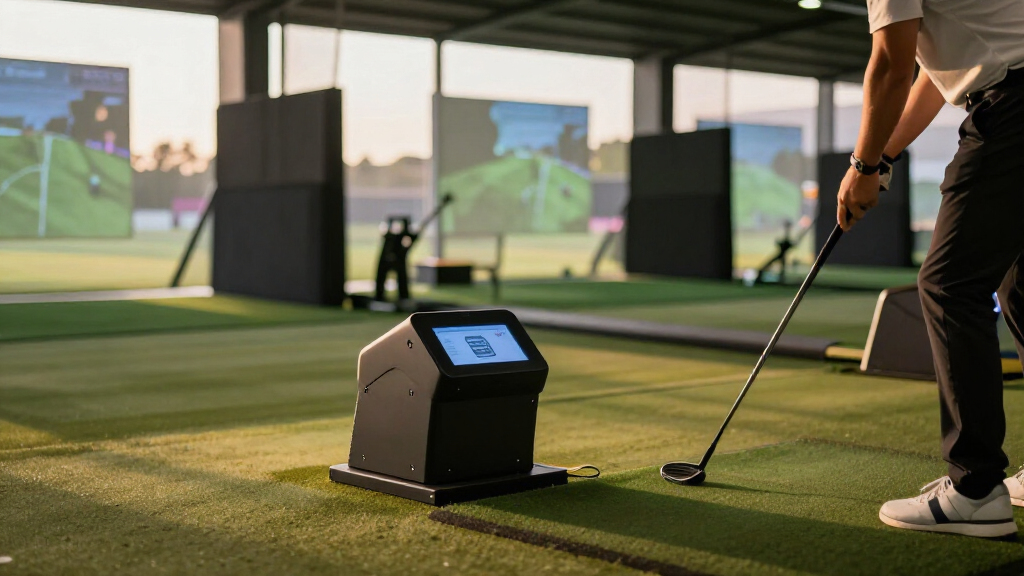
I ranked these golf launch monitors by how well their capabilities match real practice situations, not by how many features appear on a spec sheet. The comparison weighs the type and usefulness of available shot data, ease of setup, portability, indoor and outdoor fit, display or device dependence, simulator potential, and the clarity of bundle or software requirements. Build and maintenance needs matter too: a monitor that asks for careful placement, a compatible phone, or a defined hitting area may be a sound choice for a dedicated home bay but a poor match for quick range sessions.
The order favors versatility and decision-making value for the broadest range of golfers, then gives specialist picks a clear place where they serve a narrower need well. The Garmin R50 leads for its self-contained display and practice-to-simulation scope; the R10 and PRGR HS-130A represent different portable priorities. Products with more demanding indoor workflows, older or specialist designs, and package variants rank lower for general use—not because they lack a purpose, but because buyers must match their setup and software expectations more carefully. Similar model bundles are treated as related buying choices, with attention to what the included accessories add rather than counting them as unrelated designs.
Factors to Consider When Choosing Golf Launch Monitors
Before choosing among these monitors, decide what you need the device to change about your practice. A simulator, a range companion, and a basic swing-feedback tool solve different problems, even when each is called a launch monitor. I would start with the practice setting and the data you will use, then check the full cost and setup around the device.
Match the monitor to where you practice
Indoor and outdoor use place different demands on a launch monitor. A backyard or range user may value a compact unit and fast setup, while an indoor golfer needs enough room for the device, ball, net or screen, and a safe swing path. Check whether the monitor is designed for the direction and environment in which you plan to use it, and review its placement instructions before buying. A common mistake is to buy around a feature list and only later discover that the available room does not suit the setup. If you expect to move between locations, include pack-up time and device charging in your definition of portability.
Choose data you will act on
More measurements are not automatically more useful. If your goal is to see whether contact or carry distance is changing, a straightforward display may be easier to use than a system full of advanced metrics. Players working on shot shape, gapping, or simulator play may want a richer set of readings, but should confirm which metrics the monitor provides and which require an app or software plan. Avoid paying for data you cannot interpret or will not use to guide a practice session. A useful test is to name the two or three questions you want the monitor to answer before comparing specifications.
Budget for the complete practice setup
The device is only one part of an indoor launch-monitor setup. A hitting mat, net or impact screen, projector or display, compatible phone or tablet, and software can all affect the final investment and day-to-day convenience. Some packages include accessories that change the out-of-box experience, while similarly named listings may differ mainly in bundled balls or other extras. Read the bundle contents and software terms closely rather than assuming the product name tells the whole story. Paying more makes sense when the added hardware or software removes a real bottleneck in your setup; it is less compelling when it adds features you will rarely use.
Check device, app, and software dependencies
Phone-based systems can be convenient when they work with devices you already own, but compatibility and app requirements deserve a check before purchase. Confirm your phone or tablet model, operating-system support, connection method, and whether key features depend on an account or ongoing software access. A dedicated-screen option can reduce reliance on another device, while a mobile setup may offer a familiar interface and easy portability. Do not assume that included software access lasts indefinitely or that every feature is available without a subscription. These details can matter as much as the monitor’s core measurements over several seasons.
Decide how much setup friction you will tolerate
Placement, alignment, lighting, and calibration can shape whether a monitor gets used consistently. A system suited to a permanent indoor bay may reward careful setup, while a casual range routine benefits from fewer steps and less equipment to carry. Look for clear instructions on ball position, target alignment, and room conditions, especially if you plan to use the unit both indoors and outdoors. The mistake is judging ease by the monitor’s size alone: a small unit can still depend on a phone, tripod, or precise positioning. Choose for the routine you can sustain, not just the setup you imagine building later.
Think about future use before paying for simulation
Simulator play can make practice more engaging, but it also brings space, software, and display decisions that a range-focused monitor does not. If you mainly want feedback between shots, simulation features may add complexity without changing your practice habits. If you want to build a home golf space, check supported software, connection requirements, and whether the monitor fits the room and equipment you plan to use. Leave room in your decision for maintenance and updates, not just the first session. A sensible choice is the one that serves today’s practice well while leaving a clear path to the features you genuinely expect to add.
Frequently Asked Questions
Can one launch monitor work well both indoors and at the driving range?
Some models are designed to serve both settings, but the experience may not be identical indoors and outdoors. Indoor use can depend on room dimensions, safe ball flight, device placement, and compatible simulation software, while range use puts more emphasis on quick alignment and easy transport. Check the manufacturer’s setup requirements for each environment rather than relying on a general portability claim. If you will use both often, favor a monitor whose setup process and display method suit both routines. A device that technically works in each place may still feel inconvenient if it requires a long reset between sessions.
Do I need a phone or tablet to use a golf launch monitor?
Not always: some monitors provide a dedicated screen, while others use a phone or tablet for readings, controls, or simulation. A mobile-dependent model may suit you if you already own a compatible device and prefer app-based feedback. A dedicated display can make a practice session less reliant on battery life, connectivity, or keeping a phone positioned nearby. Before choosing, verify device compatibility and which features remain available without an app or software connection. Also check whether the screen you plan to use is readable and practical from your hitting position.
Are bundle versions of the same launch monitor meaningfully different?
Often, the core monitor is the same and the listing differs by included balls, accessories, or software access. That can still affect usefulness: a bundle with the required equipment may save setup effort, while extra items may be unnecessary if you already own suitable gear. Compare the exact contents and any software terms rather than treating a bundle label as a new model. For the R10 and MLM2PRO listings in this roundup, the named bundle differences deserve a close check before deciding. Prioritize what you will use and confirm that the included items match the monitor’s stated requirements.
Is a more advanced launch monitor worth it for a beginner?
It can be, but only if the extra data supports a clear practice plan. Beginners often benefit most from repeatable feedback they can understand, such as whether a change affects distance or shot pattern; dense metrics can distract if their meaning is unclear. A simpler monitor can make it easier to build a consistent routine, while a more capable model may make sense if the golfer also wants simulator play or plans to work with a coach. Consider the space, software, and setup demands alongside the data. The best starting point is the least complicated option that answers the golfer’s current questions without blocking likely next steps.
What should I check before buying a launch monitor for a home simulator?
Start with room length, width, and ceiling clearance, then map where the golfer, ball, monitor, net or impact screen, and any projector will sit. Confirm that the specific monitor supports your intended software and that your computer or mobile device meets its requirements. Check whether its stated setup works for your handedness and the way you plan to hit, as well as any lighting or alignment guidance. Include the cost and space needs of the mat, screen, and display in your plan. A monitor with strong simulator features is not a good fit if the room cannot support its required setup.
Conclusion
For the broadest mix of practice feedback and simulation, I would start with the Garmin Approach R50 as best overall; its dedicated display makes it the most self-contained standout in this lineup. The Garmin Approach R10 is my value-minded portable pick for golfers who want range-friendly use and simulator potential, while the PRGR HS-130A is the beginner-friendly choice for straightforward swing feedback without committing to a more involved home setup. For a premium indoor practice space, compare the SkyTrak ST MAX, Bushnell Launch Pro Circle B Edition, Foresight Sports GC2, and Garmin R50 against your room, software, and data needs before choosing. If portability and app-based practice matter most, look at the Rapsodo and Voice Caddie options; for a simpler carry-to-range tool, compare the Shot Scope LM1 and Blue Tees Rainmaker. I would make the final call based on where you will hit, which readings you will use, and how much setup you are willing to manage.